“STM32 + LoRa” Preparation & Config Parameters
LoRa Node 151 is based on STM32L151CCU6, Turtle Board is based on STM32L432KC, Our company is gradually replacing the IDE to STM32CubeIDE, which is the STMicroelectronics official just launched development tools for their own MCUs. Based on Eclipse, include code tracking, code completion, compilation, download, single-step debugging, and integrated with CubdeMX.
Summary
No matter what LoRa management platform is used, DevEui, AppKey, etc. parameters are must needed. And ensure that it is consistent with the relevant settings on the server.
The following parameters are essential for OTAA mode:
DevEui – Mote device IEEE EUI (big endian), 8 bytes;
AppEui – Application IEEE EUI (big endian), 8 bytes;
AppKey – AES encryption/decryption cipher application key, 16 bytes;
The following parameters are essential for ABP mode:
NwkSKey – AES encryption/decryption cipher network session key, 16 bytes;
AppSKey – AES encryption/decryption cipher application session key, 16 bytes;
DevAddr – Device address on the network (big endian), uint32_t;
Preparation
Install STM32CubeIDE and STM32CubeProgrammer correctly.
A standard LoRaWAN gateway with at least 8 channels (based on SX1301/8 base band chip will be OK), and make sure your gateway had already connected to a LoRa server.
A STM32 LoRa node( LoRa Node 151 , Turtle Board), a high quality USB cable and an ST-LINK.
Config steps
The LoRaWAN example code of LoRa Node is a STM32CubeIDE project, here is the basic config steps.
Download and install
STM32CubeIDEandSTM32CubeProgrammecorrectly.Double click
.projectdocument, open project.
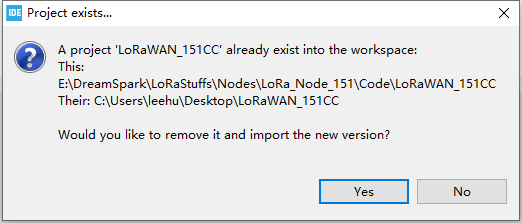
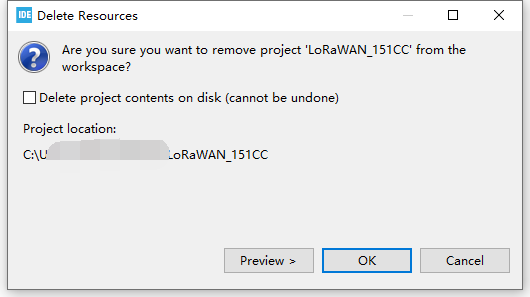
The first time you run, may have the following dialog box will, click Yes and then OK.
Modify macro definition: Set working bands、working mode and debugger.
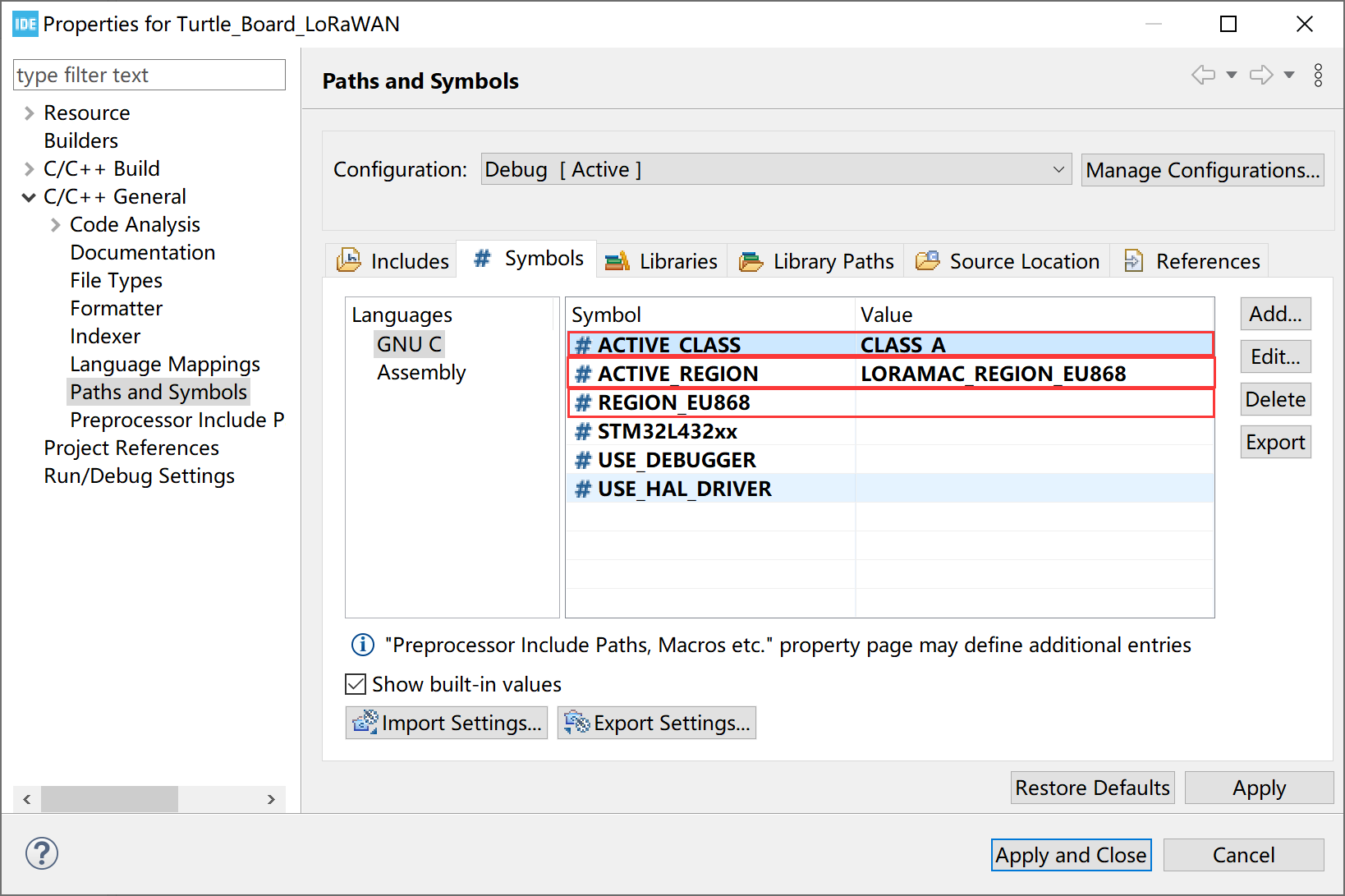
ACTIVE_CLASSCLASS_ACLASS_B–NOT SUPPORTCLASS_CACTIVE_REGIONLORAMAC_REGION_AS923LORAMAC_REGION_AU915LORAMAC_REGION_CN470LORAMAC_REGION_CN779LORAMAC_REGION_EU433LORAMAC_REGION_EU868LORAMAC_REGION_KR920LORAMAC_REGION_IN865LORAMAC_REGION_US915LORAMAC_REGION_US915_HYBRIDLORAMAC_REGION_AU915_SB2LORAMAC_REGION_AS923_AS1LORAMAC_REGION_AS923_AS2REGION_EU868Set to the frequency band corresponding toACTIVE_REGIONUSE_DEBUGGERIf define
USE_DEBUGGER, default serial port(PA9-TX, PA10-RX) can print debugging information.If delete
USE_DEBUGGER, debugging information will not be printed.
Modify
DEVICE_EUI,APPLICATION_KEY,APPLICATION_EUIin themain.cfile according to your needs.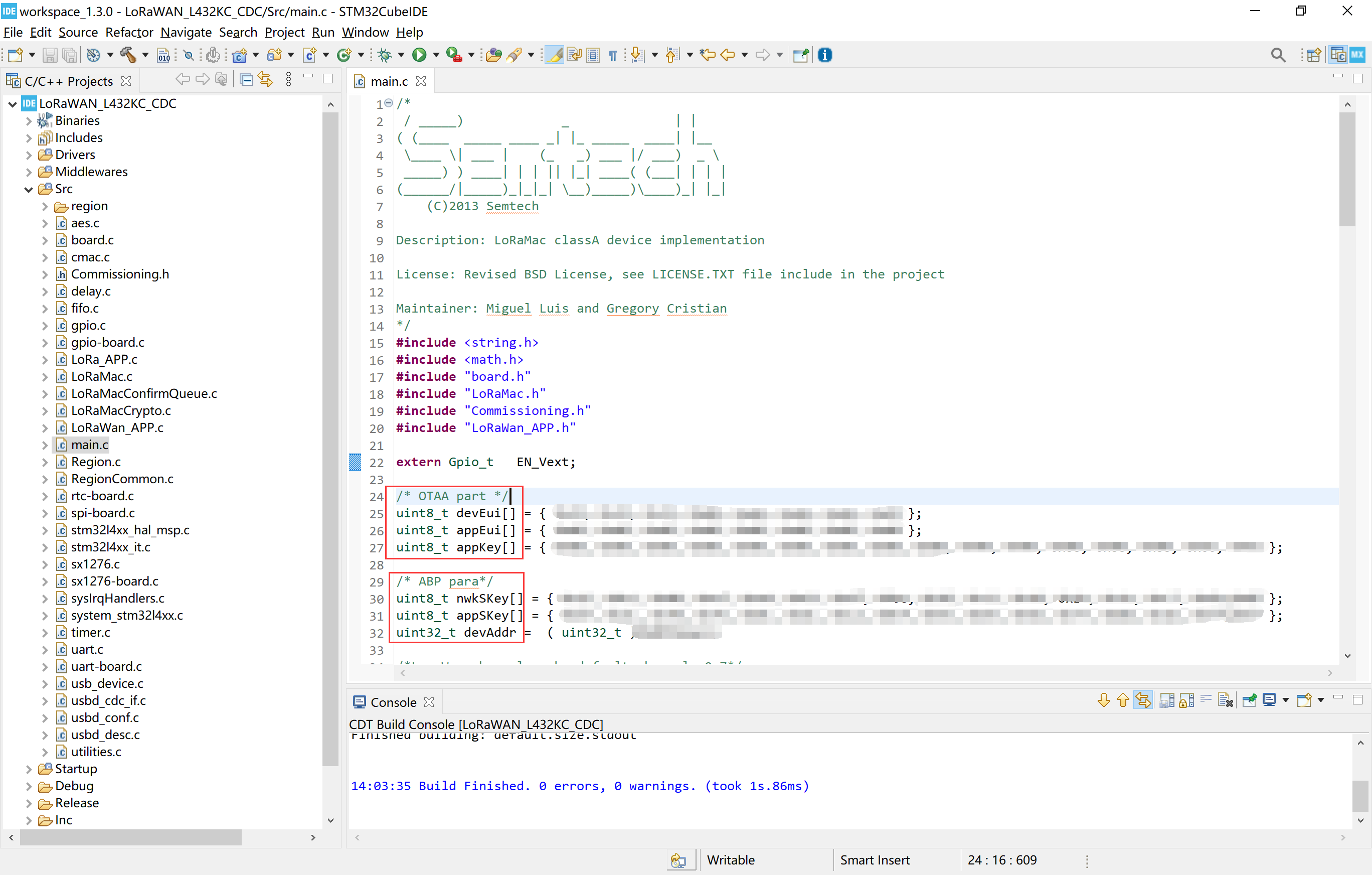
Modify
userChannelMask, access modeoverTheAirActivationand other parameter.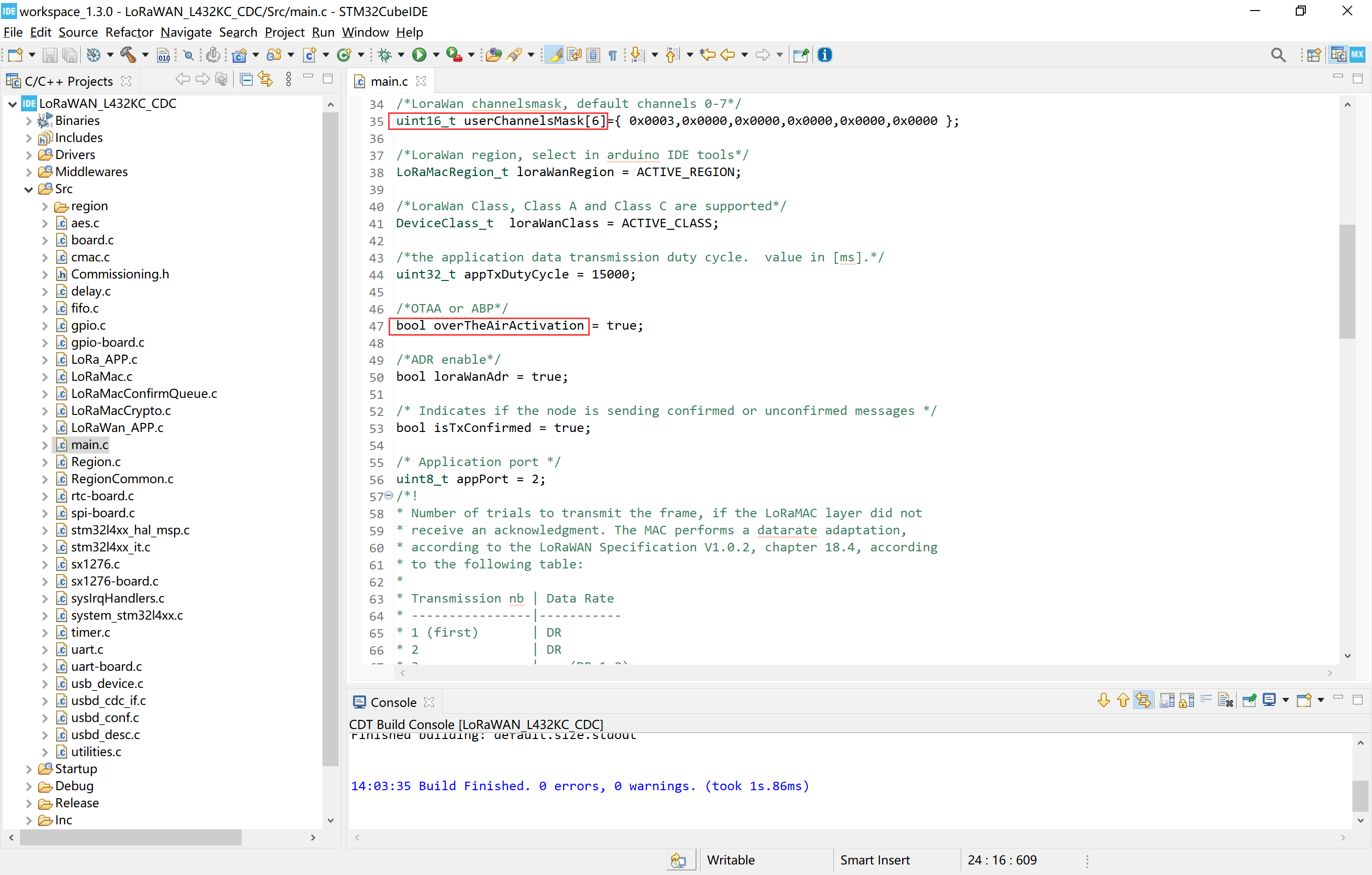
overTheAirActivationtrue–OTAAfalse–ABP
Write the data you want to send in
prepareTxFrame.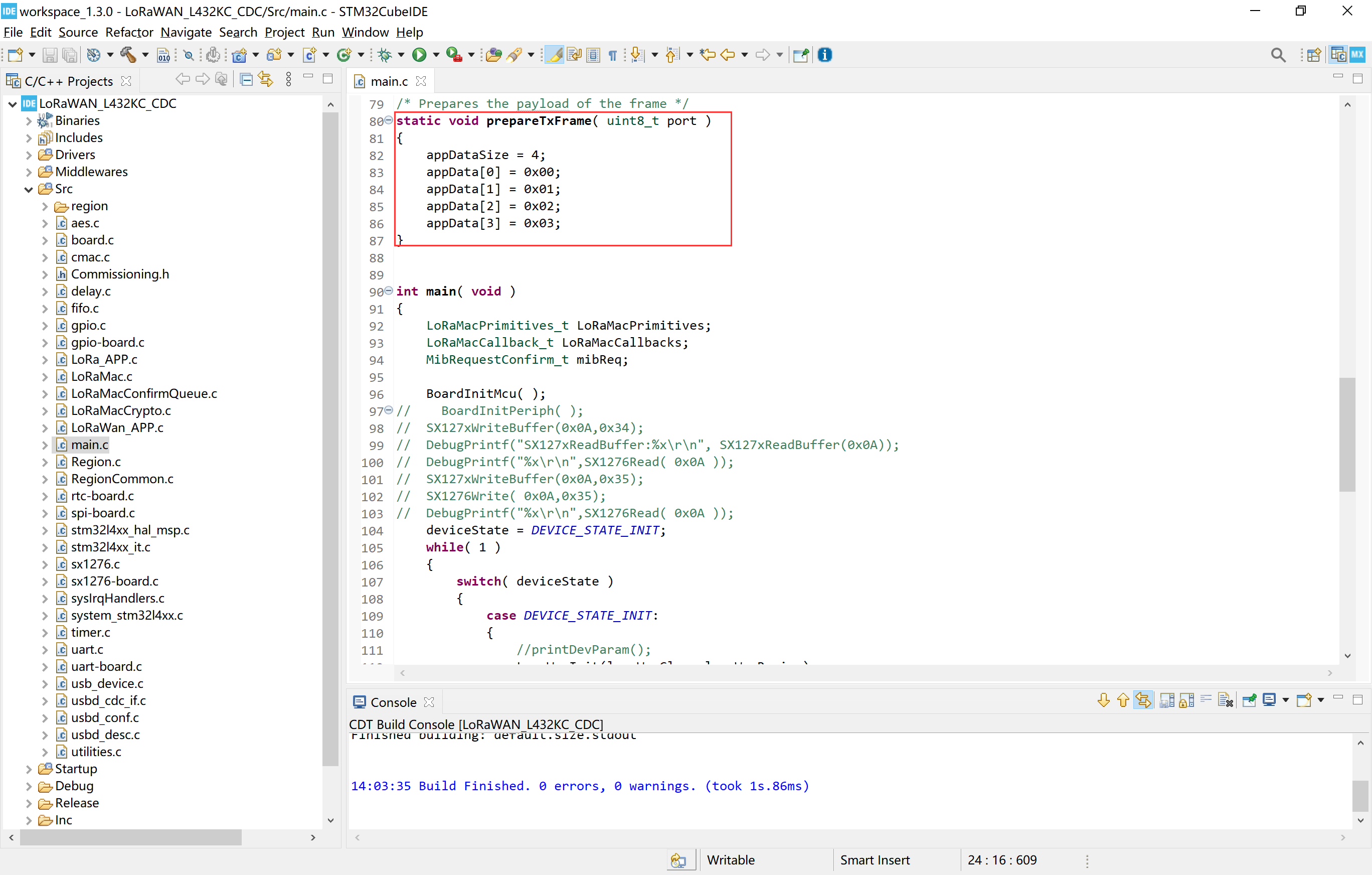
Now, if download the program into your board, if everything is normal, it should be able to run.
You may need: How to Download Firmware into STM32 LoRa Node(LoRa Node 151, Turtle Board).